
How to Collect Grasp Data That Transfers to Hardware
Key takeaways
- Grasp data fails to transfer when it’s clean, narrow, and success-only. Transfer comes from variation, failures, and honest labels.
- Capture from both viewpoints (ego + exo) with depth — and add force/tactile for contact-rich grasps.
- The only proof that grasp data transfers is a leak-free evaluation on the target hardware.
A grasp policy that works in your dataset and slips on the real gripper almost always has a data problem, not a model problem. Here’s how to collect grasp data that survives contact with hardware. It builds on our guide to real-world training data and the manipulation data guide.
Step 1 — Define the grasp taxonomy and success criteria
Before capture, write down the grasp types (pinch, power, suction, two-finger, whole-hand), the object categories, and a measurable definition of success — object lifted and stable for N seconds, correct orientation, no drop on transport. Undefined success produces inconsistent labels and a confused policy.
Step 2 — Choose the capture setup
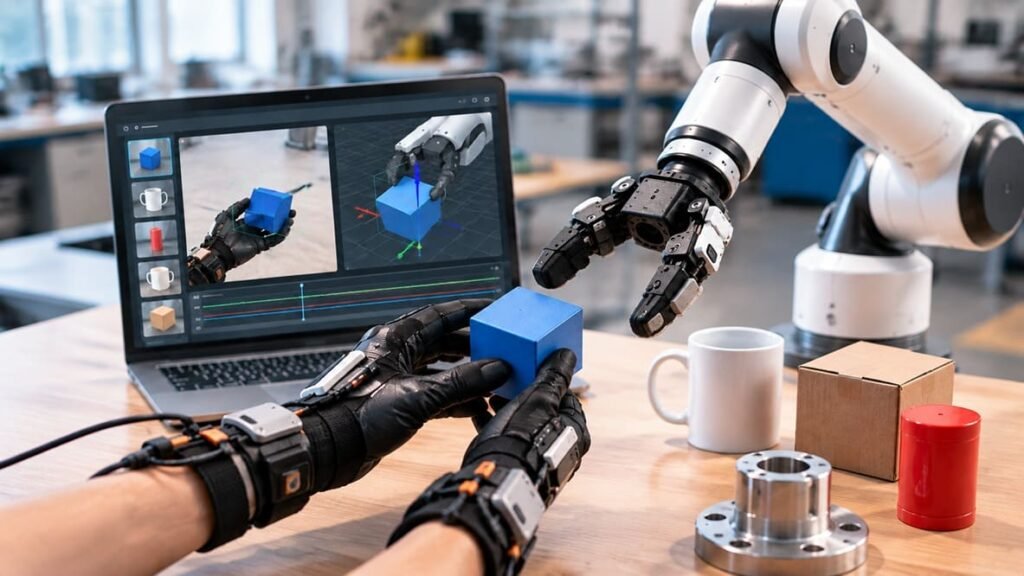
Use synchronized ego and exo cameras so you capture both the acting viewpoint and the full scene, with depth for geometry. For contact-rich or fragile-object grasps, add force-torque or tactile sensing — visual data alone can’t tell you whether a grasp was stable or lucky. Keep every stream on one clock.
Step 3 — Cover object and pose variation
This is where transfer is won or lost. Capture each grasp across object shapes, materials (rigid, deformable, transparent, reflective), orientations, clutter levels, and lighting. Ten thousand near-identical grasps lose to a smaller, well-varied set — because coverage beats volume.
Step 4 — Capture failures and regrasps
Success-only data teaches a policy to grasp but never to recover. Record slips, missed approaches, collisions, and regrasps, labeled as such. Failure data is the cheapest edge-case data you’ll ever collect — see failure-case capture.
Step 5 — Annotate grasp points and outcomes
Label grasp points, approach vectors, contact events, and the outcome, with robotics-context human-in-the-loop review. Generic crowd labelers can’t judge whether a grasp was stable; annotators who understand the task can. Keep provenance so you can trace every label later.
Step 6 — Validate transfer on real hardware
Train, then evaluate on a held-out set captured in separate sessions on the target hardware. If dataset metrics are high but hardware success is low, your eval leaked or your coverage is thin — go back to Step 3, don’t reach for a bigger model.
Next Step
dexset captures varied, failure-inclusive grasp data with task-level annotation and coverage scoring, validated for hardware transfer.
Frequently Asked Questions
Do I need force/tactile data for grasping?
For rigid, well-behaved objects, vision + depth often suffice. For fragile, deformable, or precision grasps, force/tactile signal materially improves transfer.
How much grasp data is enough?
Enough to cover your object and pose variation and your failure modes — coverage, not a fixed count.

Enoch Pakanati
Enoch Pakanati is the strategic architect behind DexSet’s mission to become the undisputed market leader in robotics training data. He oversees the company’s growth strategy, focusing on capturing dominant market share across all data modalities required for modern robotics, including egocentric capture, teleoperation, and simulation-to-real data pipelines.
At DexSet, Enoch is responsible for transforming the company’s deep technical capabilities into a market-leading brand that foundation model labs and robotics OEMs trust implicitly. He focuses on scaling DexSet’s global footprint and ensuring the company stays ahead of the industry’s rapidly evolving data needs. His leadership is centered on one objective: making DexSet the singular, global standard for the data that powers the robotics revolution.