
Dexset

5 Hidden Challenges in Data Capture Hardware for Embodied AI and How to Solve Them

Printing your timestamps is the checklist item almost every capture team skips, and skipping it is how a ten-thousand-episode dataset dies without a symptom. We watched it happen. The dataset looked perfect: clean video, complete joint logs, delivered on time. Then the client’s policy trained to a success rate barely above random, and three weeks of forensics traced it to a 60 ms clock offset between the wrist camera and the robot controller. Every action label in the dataset was stale by two frames, and a five-line timestamp check would have caught it before the first shift ended.

Failures like this stay hidden because capture hardware fails silently, and that is the argument this post makes: silent failure is the defining property of this hardware category, so the five failure modes below must be designed out before capture, not caught after it. A camera that stops recording is obvious. A camera whose clock drifts, whose calibration decays, or whose operator quietly degrades over an eight-hour shift produces data that looks fine and trains badly. Spec sheets describe none of this, because spec sheets describe devices, not fleets running sixty-hour weeks.

This post catalogs the five failure modes my QA team catches most often, what each one costs, and the specific fix for each. All five are hardware-level problems you can design out before your first episode is recorded; the device-by-device background lives in our full guide to data capture hardware for embodied AI.

I lead data quality at DexSet, where these checks run against every egocentric, teleoperation, and multi-view batch we deliver. The thresholds below are the ones on our own QA gates.

Key Takeaways – The five hidden challenges are clock drift, calibration decay, operator fatigue, offload bandwidth, and data format lock-in. None appear on a spec sheet. – Clock drift is the most expensive: tens of milliseconds of offset silently corrupts every action label in an episode. Our QA gate rejects episodes beyond 25 ms of cross-stream misalignment. – Calibration decays with heat and handling; we re-verify extrinsics on a fixed cadence (per shift for moved rigs) rather than trusting installation-day values. – Each challenge has a cheap hardware-stage fix and an expensive post-hoc one. The table below prices both.

Challenge 1: Clock Drift and Cross-Sensor Sync

Clock drift is the gradual divergence of independent device clocks, and it corrupts the observation-action alignment that imitation learning depends on. Consumer devices drift by seconds per day; even good oscillators disagree by milliseconds per hour. A dataset can pass every visual inspection while every frame’s action label describes what the robot did 60 ms later.

The fix is architectural. Prefer hardware with a native sync story: RealSense sync pins for camera arrays, Project Aria’s shared-clock VRS recordings for wearables, robot-side timestamping for teleop streams. Where hardware sync is impossible, inject a common observable event (a strobe, an audible clap, a scripted gripper snap) at episode boundaries and align in post. Our gate rejects any episode whose residual cross-stream misalignment exceeds 25 ms.

Challenge 2: Calibration Decay

Calibration decay is the slow invalidation of a rig’s intrinsic and extrinsic parameters through heat cycles, vibration, and handling. The extrinsics you measured at installation describe a rig that no longer exists three weeks later, once a camera mount has been bumped twice and a headset has been dropped once. Depth reprojection then smears by centimeters, which is fatal for grasp-point supervision.

The fix is cadence, not heroics. We re-verify extrinsics per shift on any rig that moves (headsets, handheld UMI-style grippers) and weekly on fixed studios, using a 60-second checkerboard or AprilTag routine baked into shift startup. Rigs that fail re-verification capture nothing until they pass. The routine costs about one percent of shift time and removes our second-largest historical rejection cause.

Challenge 3: Operator Fatigue as a Data Quality Variable

Operator fatigue is the degradation of demonstration quality over a shift, and it is a hardware property as much as a human one. A 600-plus-gram headset with an external battery pack produces different data at hour six than at hour one: slower corrections, shakier trajectories, more aborted grasps. The episodes still pass automated checks. The policy trained on them inherits the sloppiness.

The fix starts at procurement. Weigh the device; anything worn for full shifts should sit near action-camera weight (~150 g) rather than headset weight (500-650 g). For teleop, seated leader-arm designs in the ALOHA style (arxiv.org/abs/2304.13705) outlast free-space VR control on repetitive tasks. Then instrument for it: we track per-operator trajectory smoothness by shift-hour, and rotate stations when the curve bends.

Challenge 4: Offload Bandwidth and Storage Starvation

Offload bandwidth is the rate at which captured data moves off devices into storage, and when it is undersized the capture floor throttles itself. A six-camera RGB-D studio generates on the order of a terabyte per shift. Teams that budget for cameras but not for the offload path end a shift early to copy files, every day, forever, and consumer devices with slow card readers make it worse.

The fix is to size the pipe with the fleet: NVMe-based ingest per capture cell, hot-swappable media so devices never wait for uploads, and compression decisions made deliberately (lossless for depth and proprioception, visually lossless for RGB) rather than by device default. As a rule we budget storage-and-offload spend at 30 to 50 percent of camera spend; audits of stalled floors usually find it under 10 percent.

Challenge 5: Data Format Lock-In

Data format lock-in is dependence on a device’s proprietary recording format, and it converts every future pipeline change into a migration project. GoPro telemetry lives in GPMF tracks, ZED records SVO files, Aria writes VRS, every teleop stack invents an HDF5 layout, and none of them agree. The cost appears later, as engineer-weeks of converters and silent unit mismatches.

The fix is to normalize at ingest, on the same day the data is captured. Pick one canonical episode schema, the LeRobot dataset format (github.com/huggingface/lerobot) is the emerging community default, and treat device-native files as transient. Keep raw originals archived, but never let a training pipeline read a vendor format directly.

How to Audit Your Own Floor This Week

A capture audit is a one-week measurement pass that scores an existing pipeline against these five failure modes, and it needs no new hardware to run. The version we use internally:

  • Day 1: Print timestamps. Sample 50 random episodes and compute the median camera-to-proprioception offset per episode. Anything past 25 ms goes on the findings list.
  • Day 2: Re-run calibration on every rig and record the delta from stored values. Deltas above your reprojection tolerance mean decay is already in your data.
  • Day 3: Plot per-operator trajectory smoothness by shift-hour. A visible bend after hour four is a hardware ergonomics finding, not a staffing one.
  • Day 4: Time one full offload cycle per cell. Any cell where offload competes with capture time loses roughly a data hour per day.
  • Day 5: Count the distinct file formats between device and training job. More than one canonical format plus archived originals means converter debt is accruing.

Most teams find at least three of the five on the first pass. That is not an indictment; it is the baseline this hardware category imposes on everyone.

The Five Challenges at a Glance

Challenge Silent Symptom Cost If Ignored Fix at Hardware Stage Fix After the Fact
Clock drift Policies underperform despite clean-looking data Entire batches rejected or retrained Sync pins, shared clocks, boundary strobes (~$0-200/rig) Manual event alignment; often unrecoverable
Calibration decay Depth smears, grasp labels off by centimeters 10-20% rejection creep Per-shift AprilTag re-verification (1% of shift time) Re-calibration + partial batch salvage
Operator fatigue Quality slides after hour 4 Sloppy trajectories baked into the policy Buy light (~150 g worn), seated leader arms, rotation Filter late-shift episodes, lose volume
Offload bandwidth Shifts end early to copy files ~1 lost data hour/day per cell NVMe ingest, hot-swap media (30-50% of camera spend) Retrofit storage, disrupt operations
Format lock-in Converter scripts multiply Engineer-weeks per pipeline change Normalize to one schema at ingest Migration project across archived data

Next Step

Ready to scope your data program? Talk to our team.

Frequently Asked Questions

What is the most common hidden failure in robot data capture hardware?

Cross-sensor clock drift. Independent device clocks diverge by milliseconds per hour, silently misaligning observations and action labels. It is the failure mode least visible in review and most damaging in training.

Our QA gates reject episodes with more than 25 ms of residual cross-stream misalignment for manipulation data. At 50-60 ms, action labels lag observations by one to two frames at 30 fps, which measurably degrades imitation learning.

Per shift for any rig that moves or is worn (headsets, handheld grippers), and weekly for fixed camera studios. A 60-second AprilTag verification at shift start catches decay before it contaminates a batch.

Yes, measurably. On our floors, trajectory smoothness and correction latency degrade in the back half of shifts on heavy worn devices, which is why device weight and seated leader-arm ergonomics are QA concerns, not comfort perks.

Normalize everything to one canonical episode schema at ingest; the LeRobot dataset format is the strongest community default in 2026. Archive device-native files (GPMF, SVO, VRS) but never train from them directly.

Every DexSet delivery passes the five gates above before it ships. [Download Sample Data] with the QA report attached, or start with the full guide to data capture hardware for embodied AI.
Case Study: How We Scaled Data Capture Hardware for Embodied AI for a VLA Model

Two numbers sat in the same planning deck: 40 captured hours a week, and 8,000 hours due in five months. Both were accurate, and they could not both survive. Hitting 8,000 hours in roughly 22 weeks means averaging about 370 delivered hours a week, nine times what the floor was producing; at the actual run rate, the dataset would have arrived roughly four years late, well after the funding milestone it was supposed to unblock. This is the point where a VLA foundation model team brought the problem to us.

The gap was not effort, and that is the thesis of this case study: scaling capture is an architecture problem (sync, formats, parallel cheap seats), not an effort or premium-hardware problem. Their two-person capture team worked hard on good hardware, a single ALOHA-class station and a Vision Pro teleop pilot. The gap was architecture: no sync strategy across devices, no shared episode format, and a fleet plan that scaled capex faster than throughput. This is the most common shape of the scaling problem we see, so we are publishing the anonymized playbook.

This post walks through the three phases of the engagement: the audit, the hardware re-spec, and the scale-out, with the real throughput and cost numbers at each stage. If you are sizing a capture floor for VLA fine-tuning, the tables below are the ones we wish every team had before their first purchase order.

DexSet operates egocentric, teleoperation, and exocentric capture lines in production; this engagement ran on our floors with the client’s task list and QA criteria. Per our client agreements, the team is anonymized (“a VLA foundation model team”) and all numbers are rounded operational figures.

Key Takeaways – A VLA foundation model team needed 8,000 hours of manipulation data in five months; their in-house rate was 40 hours a week. We reached a sustained 400 hours a week by week nine. – The fix was mostly architectural: hardware sync, one episode format (LeRobot-compatible HDF5), and parallel cheap seats instead of premium single rigs. – Fleet mix at full scale: 6 GELLO-equipped arm cells, 3 ALOHA-class bimanual stations, 12 Quest 3 teleop seats, 20 UMI-style grippers, and one 6-camera D455 evaluation studio. – Delivered cost settled at $31-42 per teleop hour across task families, inside our standard $28-60 benchmark range.

Phase 1: The Audit (Weeks 1-2)

A capture audit is a measured baseline of usable hours per seat per shift, and it always starts by separating captured hours from delivered hours. The client’s 40 weekly hours were captured hours; after QA, delivered hours were closer to 26. Two findings explained most of the loss.

First, synchronization. The Vision Pro pilot streamed hand pose to the robot over Wi-Fi with no shared clock, and QA was rejecting roughly a quarter of episodes for observation-action misalignment beyond their 25 ms tolerance. Second, format debt: the ALOHA station wrote its own HDF5 layout, the Vision Pro stack wrote JSON pose logs plus video, and an engineer spent about a day a week converting between them.

Neither problem is exotic. Both are invisible until you measure delivered hours instead of captured hours.

Phase 2: The Hardware Re-Spec (Weeks 3-5)

A hardware re-spec is a redesign of the fleet around delivered cost per hour rather than device quality, and ours cut the premium hardware first. The Vision Pro seats moved to evaluation-only duty. For fleet teleop we standardized on Quest 3 headsets at roughly $500 per seat: seven times cheaper per seat, no measurable difference in demonstrations per operator-hour on the client’s pick, place, and insertion task families, and cheap enough to hold 20 percent spares.

For arm-based capture we kept the existing ALOHA-class station (fine bimanual tasks justified it) and added GELLO leader arms (arxiv.org/abs/2309.13037) at about $300 per arm on follower robots the client already owned. For task families that did not need force or proprioception fidelity, we added UMI-style handheld grippers (arxiv.org/abs/2402.10329) at roughly $400 per unit, with a budgeted SLAM QA pass.

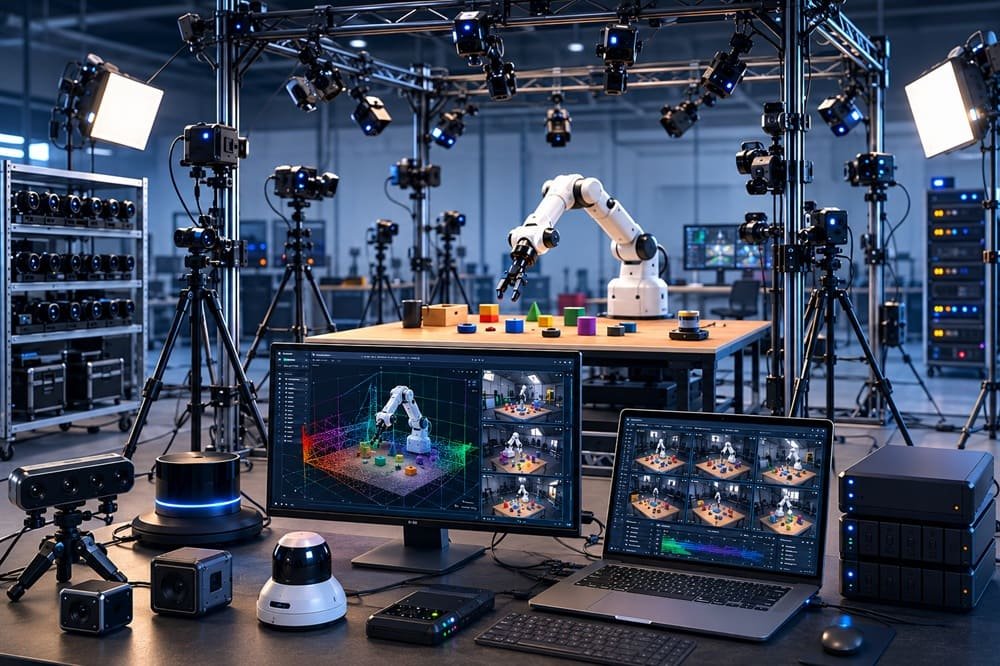
The last addition was a six-camera RealSense D455 evaluation studio, hardware-synced through the D455’s trigger pin, wrapped around one teleop cell. Every evaluation episode was therefore captured ego and exo simultaneously, which the client’s research team used to test viewpoint generalization in the style of Ego-Exo4D (arxiv.org/abs/2311.18259). The studio cost about $2,700 in cameras and roughly the same again in truss, sync wiring, lighting, and NVMe ingest, a ratio worth budgeting for in advance.

Every line wrote one format: LeRobot-compatible episodes (github.com/huggingface/lerobot) with per-frame timestamps from a shared NTP-disciplined clock and a hardware sync signal on the camera side. The conversion engineer got their day back.

Phase 3: Scale-Out (Weeks 6-9)

Scale-out is the replication of a proven seat design in parallel, and it only works after yield per seat is stable. We added seats in weekly increments, holding the QA gate constant, until the floor hit the target run rate.

Metric Baseline (client in-house) Week 5 (re-spec live) Week 9 (full scale)
Captured hours / week 40 130 ~460
Delivered hours / week (post-QA) 26 110 ~400
QA rejection rate ~35% 15% 10-12%
Active seats 3 14 42
Fleet capex (cumulative) ~$32k ~$68k ~$118k
Delivered cost per teleop hour not tracked $46 $31-42

Two numbers deserve emphasis. The rejection rate fell from 35 percent to under 12 percent before most of the new seats arrived; sync and format fixes, not hardware volume, did that. And full-scale fleet capex, about $118k for 42 seats, is less than many teams spend on four premium bimanual cells. Cheap synchronized seats, bought after the yield problem was solved, are what made the 8,000-hour target arrive on schedule.

The non-hardware work mattered too, and it is easy to undercount. Operator onboarding became a two-day curriculum with a certification task instead of an afternoon of shadowing, which pulled new-seat ramp time down from three weeks to one. The QA gate ran four automated checks (sync residual, calibration freshness, trajectory smoothness, format validity) plus human review on a 10 percent sample, and its thresholds never moved during scale-out. Holding the gate constant is what made the weekly delivered-hours number trustworthy enough to plan a training schedule against.

What We Would Do Differently

Honest retrospectives are rarer than case studies, so here is ours. We would have moved the UMI-style gripper line earlier in the schedule; its SLAM post-processing pipeline took three weeks to tune, and starting it in week 3 instead of week 6 would have added several hundred delivered hours. We also underestimated storage: the exo studio’s terabyte-per-shift output forced a mid-project NVMe retrofit that a day of arithmetic would have predicted. Neither mistake threatened the deadline. Both are now checklist items in every new engagement.

What Generalizes From This Engagement

The transferable lessons are hardware-selection rules, and they match the decision matrix in our full guide to data capture hardware for embodied AI:

  • Measure delivered hours, not captured hours. The 14-hour weekly gap at baseline was invisible in the client’s dashboards.
  • Fix sync before buying anything. A 25 ms alignment tolerance is unreachable over ad-hoc Wi-Fi streaming without a shared clock.
  • Premium headsets are evaluation tools, not fleet tools. Quest 3 matched Vision Pro on demonstrations per operator-hour for standard manipulation families.
  • Match rig fidelity to task family. ALOHA-class cells for fine bimanual work, GELLO for arm tasks on owned robots, UMI for volume, one format across all of them.
  • Scale last. Every seat added before yield stabilizes multiplies your rejection rate.

Next Step

Ready to scope your data program? Talk to our team.

Frequently Asked Questions

How long does it take to scale a robot data capture operation?

In this engagement, nine weeks from audit to a sustained 400 delivered hours per week. The first five weeks fixed synchronization, formats, and seat design; scaling seats was the fast part.

About $118,000 in cumulative fleet capex for 42 seats: 12 Quest 3 teleop seats, 6 GELLO arm cells, 3 ALOHA-class stations, 20 UMI-style grippers, and a 6-camera RealSense D455 evaluation studio.

On a well-synchronized floor we hold 10 to 12 percent. Rates above 25 percent almost always trace to clock misalignment or ergonomic problems, not operator error.

Not for fleet capture. On pick, place, and insertion tasks, ~$500 Quest 3 seats matched the $3,499 Vision Pro on demonstrations per operator-hour. The Vision Pros stayed in service for gaze-labeled evaluation episodes, where their eye tracking earns the price.

Yes; the phases (audit, re-spec, scale-out) and rules above are the playbook. The vendor case is throughput on demand without capex and hiring, which mattered here because of the five-month deadline.

[Book a Demo] and we will run the throughput math on your task list, or start with the full guide to data capture hardware for embodied AI.

Why Data Capture Hardware for Embodied AI Is the Biggest Bottleneck in Physical AI

There is a rule on our capture floor that surprises every visitor: no rig purchase gets approved until someone writes down, and signs, the usable hours per shift it is expected to deliver. The rule exists because of a ratio most teams meet too late. A training cluster can process a million episodes a day; a capture floor produces a few hundred. That ratio, not model architecture, is the thesis of this post: capture hardware throughput is the binding constraint in physical AI, and almost every team we work with discovers it after they have already hired the ML engineers.

The gap exists for a structural reason. Language models scaled on data that already existed; the internet was captured for free, decades in advance, by billions of people. Robot data does not exist until someone straps on a camera or sits down at a teleoperation rig and creates it, one real-time hour at a time. Open X-Embodiment, the largest cross-robot dataset effort to date, pooled contributions from more than 20 institutions to assemble on the order of a million trajectories (arxiv.org/abs/2310.08864). GPT-class text corpora are trillions of tokens. The disparity is not a funding problem. It is a hardware throughput problem.

This post breaks down where the bottleneck actually sits: capture-rate physics, sync failure, operator throughput, and fleet reliability. You will get the numbers we use to size capture floors, and a checklist for finding your own pipeline’s binding constraint.

DexSet runs egocentric, teleoperation, and multi-view exocentric capture lines in production for robotics foundation model teams, so the failure modes below are ones we have paid for personally.

Key Takeaways – Robot data must be created in real time; one hour of demonstrations costs one hour of human effort plus overhead, which makes capture hardware throughput the binding constraint in physical AI. – The bottleneck has four layers: capture-rate physics, cross-sensor synchronization, operator ergonomics, and fleet reliability. Most teams only budget for the first. – In our production benchmarks, a well-run teleop cell yields 4 to 5 usable data hours per 8-hour operator shift; a badly specified one yields under 2. – Scaling is a parallelism problem: 10 cheap synchronized seats beat 2 premium ones on delivered hours per dollar, every time we have measured it.

The Bottleneck Is Physical, Not Computational

The core constraint in embodied AI is that demonstration data is generated at the speed of physical reality, one wall-clock hour per data hour, per rig. No compiler optimization changes this. A capture floor’s output is seats multiplied by shift hours multiplied by yield, and hardware choices control two of those three factors.

Consider the arithmetic that surprised one of our clients. They wanted 10,000 hours of teleop demonstrations in six months. At a realistic 4.5 usable hours per operator shift, that is roughly 2,200 shifts, or 18 rigs running double shifts for the full period with zero downtime. Their plan had budgeted 6 rigs. The model roadmap slipped a quarter before a single GPU was misused.

Where Hardware Throughput Actually Dies

Capture throughput is lost in four places, and each maps to a hardware decision made months earlier.

1. Capture-Rate Physics

Capture-rate physics is the raw sensor and storage arithmetic of a rig: resolution times frame rate times stream count. A six-camera RealSense D455 studio recording depth plus RGB produces on the order of a terabyte per shift before compression. Teams that bought cameras without buying the matching NVMe offload path spend the last hour of every shift copying files instead of capturing. The camera was $450; the missing storage architecture costs a data hour per day, forever.

2. Synchronization Failure

Synchronization failure is misalignment between sensor clocks, and it converts captured hours into rejected hours during QA. A 40 ms drift between headset pose and robot joint states is invisible to the operator and disqualifying for action-labeled training data. Hardware with a sync story (RealSense sync pins, Project Aria’s shared-clock VRS recordings) keeps yield around 90 percent in our pipelines. Hardware without one (consumer action cams in multi-view arrays) can silently push rejection rates past 30 percent, and you find out weeks later.

3. Operator Ergonomics

Operator ergonomics is the human sustainability of a rig across a full shift, and it is the most under-priced axis in hardware selection. A 600-plus-gram headset with an external battery is fine for a 20-minute demo and brutal at hour six. On our floors, moving long-shift egocentric work from headsets to ~150 g head-mounted action cameras raised sustained weekly output per operator by a third, purely because breaks got shorter and turnover dropped. ALOHA-style seated leader arms (arxiv.org/abs/2304.13705) similarly outlast handheld free-space teleop for repetitive tabletop tasks.

4. Fleet Reliability

Fleet reliability is the fraction of seats actually capturing at any moment, and it decays with device fragility and SDK churn. Consumer devices were not designed for 60-hour weeks: straps wear out, USB ports loosen, batteries lose capacity by month four, and a firmware update can strand a whole fleet’s capture app on a Tuesday morning. Budget spare units at 15 to 20 percent of fleet size and pin firmware versions the way you pin Python dependencies. A $3,499 spare hurts, which is one more argument for $500 seats.

There is a fifth, quieter drain worth naming: calibration and QA overhead. Every worn or moved device needs its extrinsics re-verified regularly, and every captured hour needs review before it counts. On a healthy floor this overhead runs 10 to 15 percent of shift time. On a floor that skips it, the overhead appears anyway, relocated into next month’s rejection rate.

The Throughput Table

The numbers below are typical ranges from our own capture operations. Treat them as planning figures.

Capture Setup Capex per Seat Usable Hours per 8h Shift Common Bottleneck Delivered Cost Range (our benchmarks)
GoPro head-mount egocentric (~$400) $400-700 5.5-6.5 Offload bandwidth, battery swaps Lowest per hour of any modality
Quest 3 VR teleop (~$500 + robot) $1,200-5,500 4-5 Passthrough latency fatigue, resets $28-45/hr
Vision Pro VR teleop ($3,499 + robot) $4,500-8,000 3.5-4.5 Comfort, battery, spare cost $40-60/hr
ALOHA-class bimanual (~$20k station) $22,000-30,000 4-5 Task resets, arm maintenance $35-60/hr
GELLO leaders on existing arms (~$300/arm) $600-1,000 incremental 4-5 Follower robot availability $28-45/hr
UMI handheld grippers (~$400) $400-600 5-6 SLAM post-processing QA Below teleop, above raw egocentric

Read the table columns together, not in isolation. The cheapest capex row is not automatically the cheapest delivered hour once yield and QA rejection enter, but the pattern holds: parallel cheap seats with a real sync plan dominate small fleets of premium hardware.

How to Scale Past the Bottleneck

Scaling data capture hardware for embodied AI means adding synchronized parallel seats while holding per-seat yield constant, and the order of operations matters.

  • Instrument yield first. Measure usable hours per shift per seat before buying anything. Most teams cannot answer this today.
  • Fix sync before adding seats. Ten unsynced rigs scale your rejection rate, not your dataset.
  • Standardize on one episode format. LeRobot’s dataset format (github.com/huggingface/lerobot) or a fixed HDF5 schema; converters eat engineer-weeks.
  • Buy for the shift, not the demo. Weigh the device, check the battery swap time, and price spares at 15-20 percent of fleet.
  • Then parallelize. Cheap identical seats, one calibration procedure, one QA gate.

The order matters more than the shopping list. Teams that parallelize first and fix sync second end up owning ten rigs that produce ten streams of mutually misaligned data, and the “scaling” project quietly becomes a salvage project.

Or skip the capital expenditure entirely: this bottleneck is exactly why data vendors exist. A vendor amortizes rigs, operators, calibration routines, and QA gates across many clients, which is how delivered hours can cost less than an in-house floor’s fully loaded rate even before you count the hiring time. The build-versus-buy math is covered in our full guide to data capture hardware for embodied AI, including per-device comparison tables and a decision matrix.

Next Step

Ready to scope your data program? Talk to our team.

Frequently Asked Questions

Why is data capture the bottleneck in physical AI rather than compute?

Because robot demonstrations must be created in real time by humans and hardware, one wall-clock hour per data hour per rig. Compute scales by purchase order; capture scales only by adding synchronized seats and operators.

In our production benchmarks, a well-specified teleop cell yields 4 to 5 usable hours per 8-hour shift after resets, calibration, and QA rejection. Poorly synchronized or ergonomically bad rigs can drop below 2.

Fix synchronization and episode formats first, then add cheap parallel seats. Ten ~$500 synchronized capture seats reliably outdeliver two premium seats on hours per dollar.

Published systems give the scale: Open X-Embodiment pooled roughly one million trajectories across institutions, and fine-tuning a VLA for a task family typically consumes hundreds to thousands of targeted demonstrations. The practical answer is more than one team’s ad-hoc rig produces, which is why capture throughput planning matters.

Not by itself. Throughput follows seats, sync, ergonomics, and reliability. A $3,499 headset that fatigues operators faster than a $500 one lowers delivered hours per dollar despite better optics.

Start with the full guide to data capture hardware for embodied AI, or book a demo and we will walk you through the throughput math on your task list with real DexSet sample data.